AI Presentation Tools
Compare & Choose the Best

AI presentation tools have transformed how slides are created. Instead of starting from scratch or using repetitive PowerPoint templates, modern AI presentation templates help structure content and generate polished slides faster.

In 2026, the choice isn’t whether to use AI, but which tool fits your workflow best. This page compares RocketSlide with other AI slide maker tools to help you choose the right AI PPT maker.

Try RocketSlide — Create Smarter Slides with AI
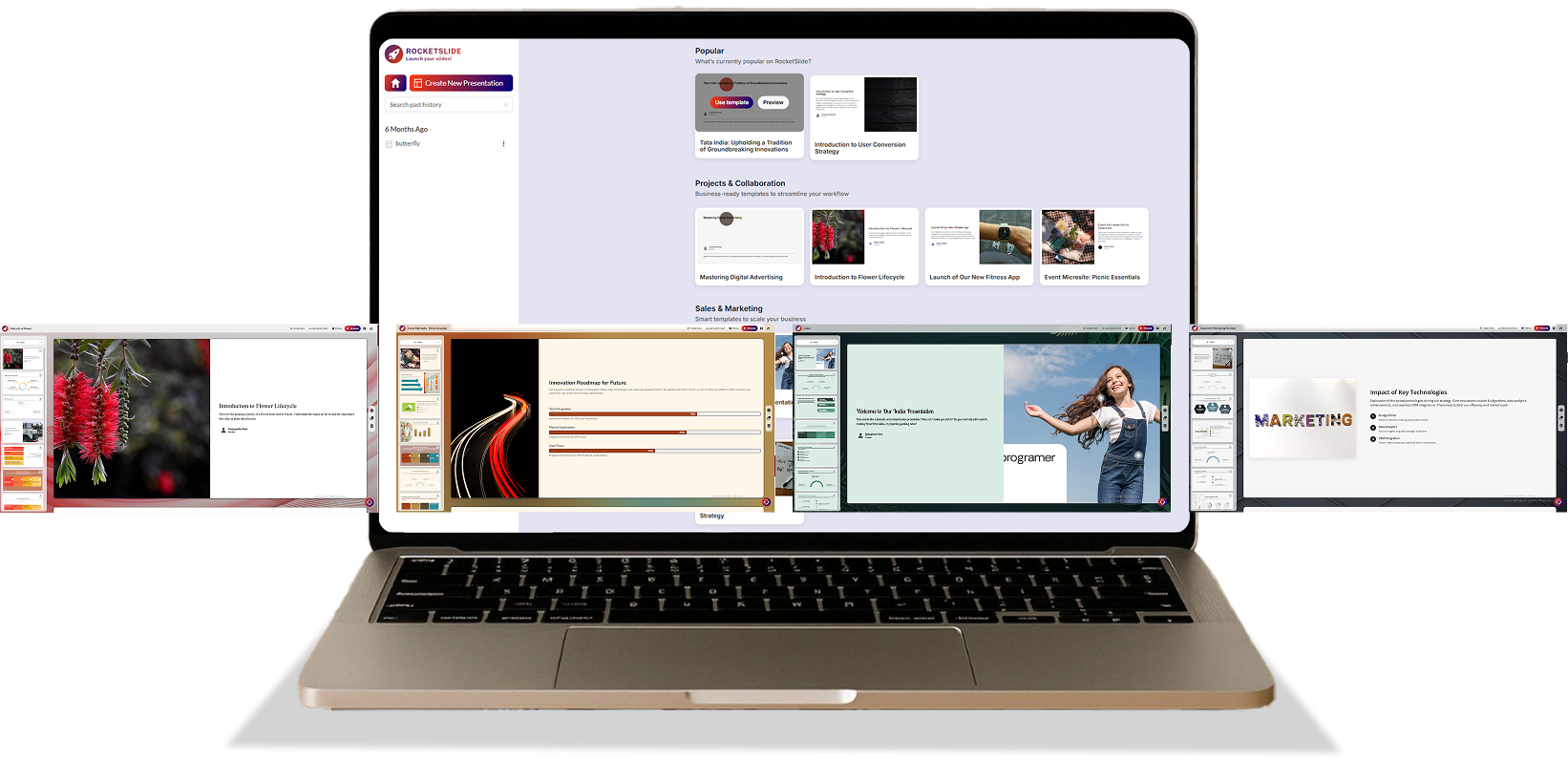
RocketSlide UI
RocketSlide AI presentation maker interface

What Is an AI Presentation Maker?

An AI presentation maker is a tool that uses artificial intelligence to support the process of building presentations. A modern AI PPT maker can help with:

  • Creating structured slide outlines from prompts or documents
  • Organizing content into logical sections
  • Applying layouts and presentation templates automatically
  • Generating visuals, charts, or timelines
  • Exporting presentations in formats like PowerPoint or PDF

AI Presentation Tool Comparison

Below is a comparison table highlighting native formats, core capabilities, and primary use cases of popular AI presentation tools in 2026.

Comparison Table

Tool Ease of Use Speed Design Quality Customization Best For Export Formats
RocketSlide Very easy Fast (3–5 min) Clean, professional High AI to create PowerPoint presentations PPTX, PDF
Beautiful.ai Very easy Fast (5 min) Polished & modern Limited Design-first slides PPTX, PDF, Google Slides
Gamma AI Easy Fast (5–7 min) Modern, web-style Medium Web-first storytelling Web, PDF, PPTX
Canva Magic Design Easy Moderate (7–10 min) Creative & diverse Excellent Branding & visuals PPTX, PDF, Images
Plus AI Very easy Fast (5 min) Clean Medium Google Slides users Google Slides, PPTX
Microsoft Copilot Easy Moderate Consistent Medium Microsoft ecosystem PPTX
Prezi AI Moderate Moderate Dynamic & interactive Medium Interactive presentations Prezi, PDF
Pitch Moderate Moderate Professional High Pitch deck templates PDF,PPTX
RocketSlide AI presentation maker interface

RocketSlide Overview

RocketSlide focuses on:
  • Clear content flow
  • Strong visual hierarchy
  • Automated layout decisions
  • Fully editable slide output

Key Feature Breakdown

A closer look at how RocketSlide stands out among AI presentation tools.

Content Structure & Slide Flow

Many AI slide makers generate slides quickly but overlook structure. RocketSlide uses a content-first approach, organizing information into sections that flow naturally from introduction to conclusion.

Design Automation

RocketSlide applies adaptive layouts that adjust based on content length and type. This keeps slides readable and visually consistent without locking users into rigid templates.

PowerPoint Compatibility

RocketSlide supports PPTX export and post-generation editing, making it a practical PowerPoint AI solution for real-world workflows.

Visual & Planning Support

RocketSlide can be used to create structured slides for timelines, roadmaps, and planning visuals, making it ideal for presentations that resemble project overviews.

Use Cases

RocketSlide is built to support a wide range of real-world presentation needs.

Business presentations and pitch decks
Business & Enterprise
  • Sales presentations
  • Investor pitch deck templates
  • Internal reporting
Education and training presentations
Education & Training
  • Lecture slides
  • Training materials
  • Workshop presentations
Student and research presentations
Students & Researchers
  • Academic presentations
  • Seminar slides
  • Research summaries
Planning and strategy presentations
Planning & Strategy
  • Project timelines
  • Structured planning decks
  • Visuals within presentations

Pros & Considerations

A balanced look at RocketSlide’s strengths and practical limitations.

Pros

  • Strong content structure
  • PowerPoint-ready output
  • Clean, professional layouts
  • Reduced reliance on manual presentation templates

Considerations

  • Designed for clarity and structure rather than heavy animation
  • Best suited for users who value clean design over experimental visuals

How to Choose the Right AI Presentation Tool

Choosing an AI presentation maker goes beyond visuals. The right tool should align with your workflow, reduce manual effort, and help you deliver better presentations faster.

Does it export to the PowerPoint formats you actually need?

Can it replace repetitive manual PowerPoint templates?

How effectively does it structure and organize your content?

How much customization is required after slide generation?

Why RocketSlide Is a Strong Choice

RocketSlide balances automation with control, giving users the speed of AI without sacrificing structure or editability.

  • An AI presentation maker
  • A flexible slide maker AI
  • A practical online AI PPT maker
Built for Real-World Presentations

Designed for business professionals, educators, and students who need reliable PowerPoint-ready output—not experimental slide gimmicks.

bg-shape bg-shape

Frequently Asked Questions

Yes. RocketSlide uses AI to create a PowerPoint presentation by structuring content and automating slide design.

Yes. All slides remain editable after generation.

RocketSlide is designed for business, education, and academic presentations where clarity and structure matter.

Get Started with RocketSlide

Create professional PowerPoint presentations using AI without starting from a blank slide.Try RocketSlide and see how AI can simplify presentation creation.

As global team, We're always available.
Let's talk!

A woman sits at a desk using a computer and Headphone while sending a letter with a bird in an office setting.